| 項目 | 內容 |
| 材質 | Pen Touch operation-Computer-like intuitive operations for menu selection, button operations, etc. Drag & Drop supports dragging of an input expression to a graph screen for instant graphing |
| Presentation Application-Register application screen screen shots for playback in slide show format that is great for presenting eActivity results and other lessons. Includes Auto Play, Manual Play, and page editing functions |
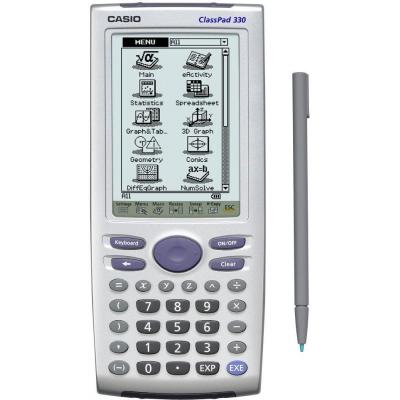
| The ClassPad 300 comes packed with an impressive collection of applications that support self-study, like 3D Graphing, Geometry, eActivity and lots more. A big 160 × 240 pixel LCD touch screen enables easy and intuitive stylus-based operation. |
| eActivity Application |
| 其他資料 | 3-Dimensional Graphing Trace, Zoom, Rotate |
| Allows tailoring of classroom materials to local needs |
| Button for recalling user-created programs |
| Buttons for expression processing, text statements and eActivity function recall |
| CAS (Computer Algebra Systems) |
| CASIO CLASSPAD 300 PLUS |
| CLASSPAD 330版本提升至3.0 內置運用功序 |
| Contents installable using data communication |
| Each teacher can create activities on his or her own calculator |
| Go-along-anywhere digital text book and digital handout functions |
| 使用的軟件是VER2.2 |
| 內置多項程式、使用範圍廣闊 |
| 創新意念、筆觸操作、附有限定性軟件 |
| 功能 |
| 可支援視窗98--2000 |
| 屏幕特大、運算流暢簡明、功能強大實用 |
| 電腦代數系統支援、程序運算、三維繪圖 |